We’re in the process of migrating from TestRail → PractiTest, and wanted to recreate something similar to our TestRail folder hierarchy (modules / sub-modules / components / etc.) in PractiTest.
Any tips or things to be aware of?
Happy to share a few tips for building your fields and filter hierarchy so your team feels comfortable with a familiar structure, but gains the flexibility of using filters over folders:
-
Map your folder structure to avoid missing important fields. Keep it simple, as too many layers can make navigation harder.
-
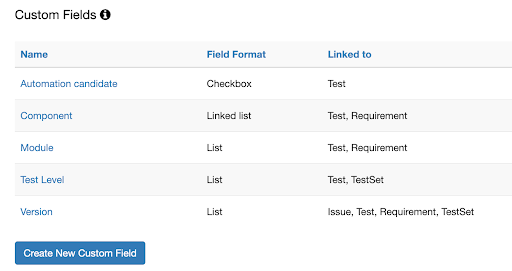
Create custom fields for elements like Module, Component, Test Type, and Release before importing the test cases into PractiTest.
-
Make sure to include all possible values in list-type fields or create them as Text fields first and convert them to list after the import.
-
When importing, ensure each test case has the correct custom field values so it appears in the right filters. Missing or incorrect values can scatter tests and require extra cleanup later.
-
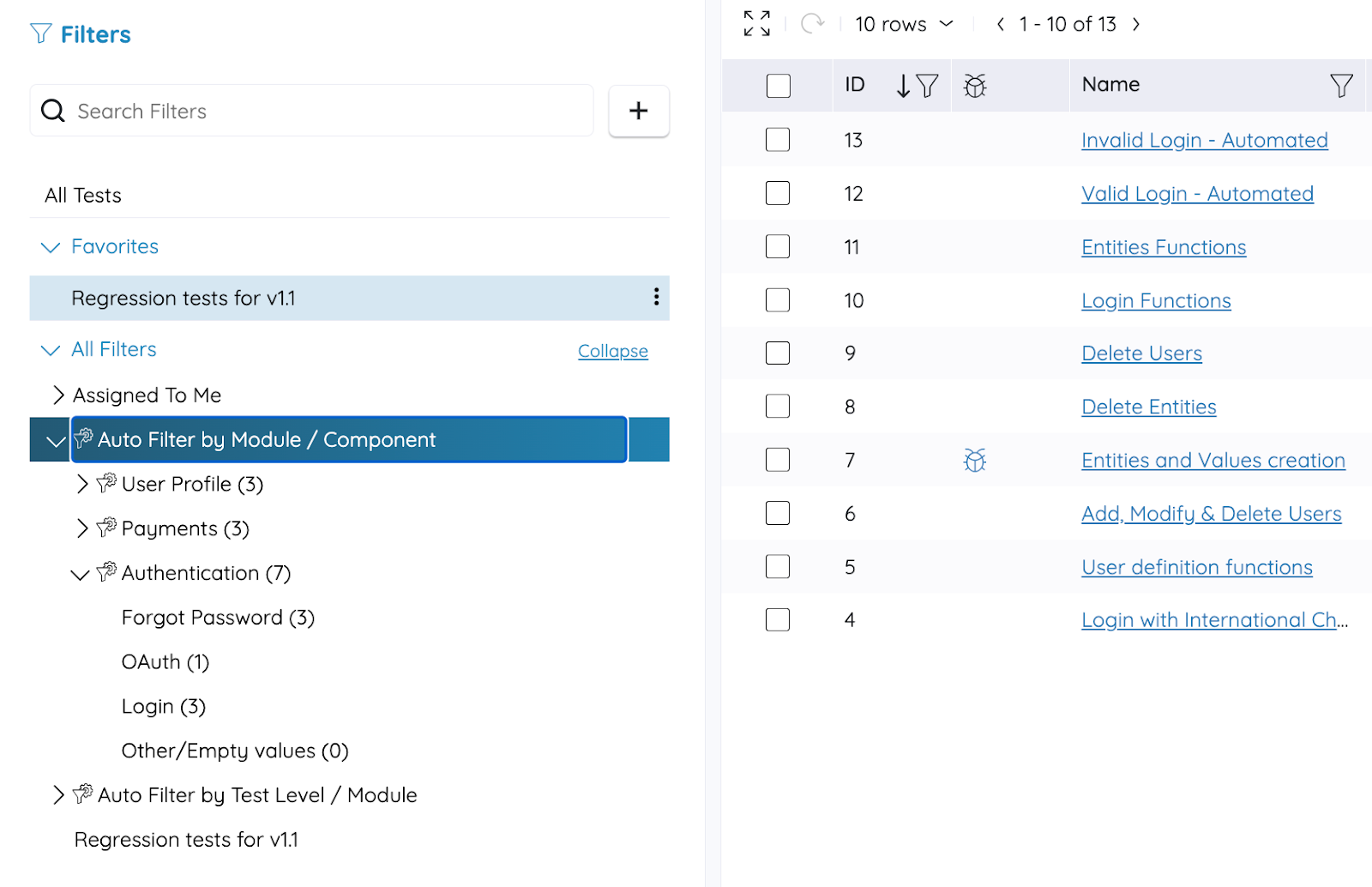
For organized hierarchies such as Module to Component to Feature, use multi-level auto filters. They build the hierarchy automatically and stay up to date. Limit the depth to a few levels and hide empty filters to keep things tidy.
Here’s how I’d map a TestRail folder layout into a PractiTest as an example,
Custom Fields:
-
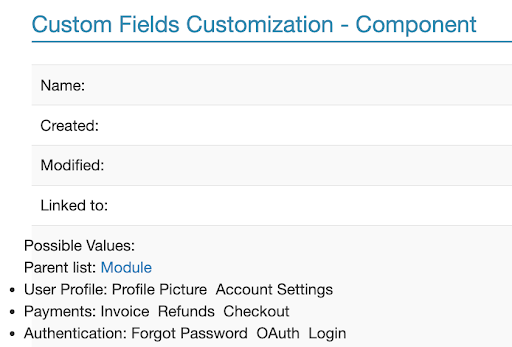
Module (list): “Authentication”, “Payments”, “User Profile”, etc.
-
Component (linked list to Module): under “Payments”: “Checkout”, “Refunds”, “Invoice”
-
Test Type (list): “Regression”, “Smoke”, “Sanity”
-
Release / Version (list): “v1.0”, “v1.1”, etc.
Filter Tree in the Test Library module:
>All Modules (auto filter on Module)
- Module: Authentication
- Component: Login
- Component: Forgot Password
- Component: OAuth
- Module: Payments
- Component: Checkout
- Component: Refunds
- Module: User Profile
- …
>Test Type
- Regression
- Sanity
- Smoke
>Release
- v1.0
- v1.1
Filter combinations can be used for combining Release + Test Type, so someone can quickly get “Regression tests for v1.1” or “Automated tests across all modules for v1.0”.
I hope this helps!